Founder, Designer & Developer · 2025–Present
An AI Operations Platform for a Two-Country Business
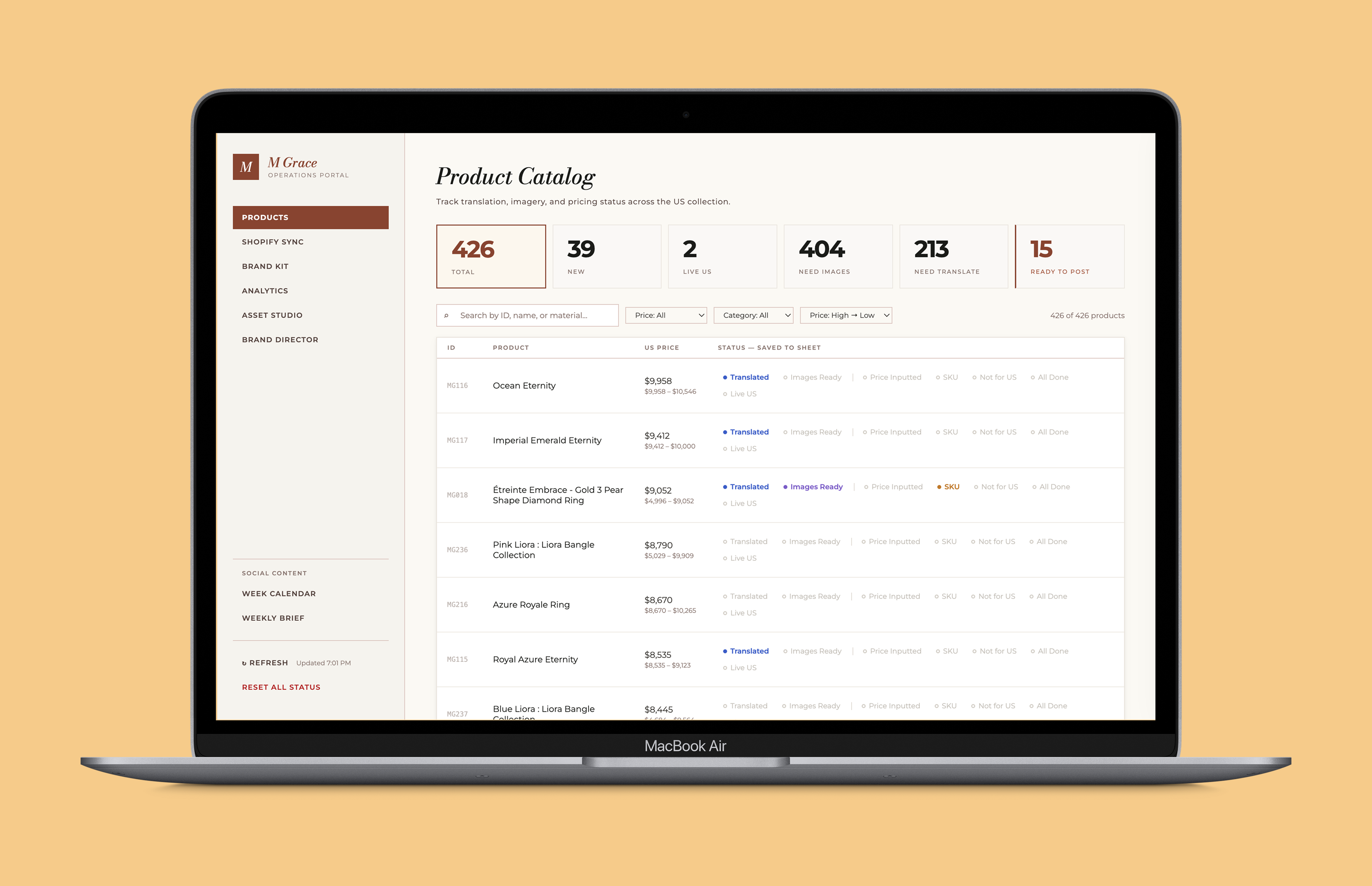
I built an all-in-one operations platform for a Japanese jewelry business, bringing product management, AI-powered translation, production tracking, and performance analytics into one place. The new workflow reduced coordination overhead by an estimated 65%.
The Problem
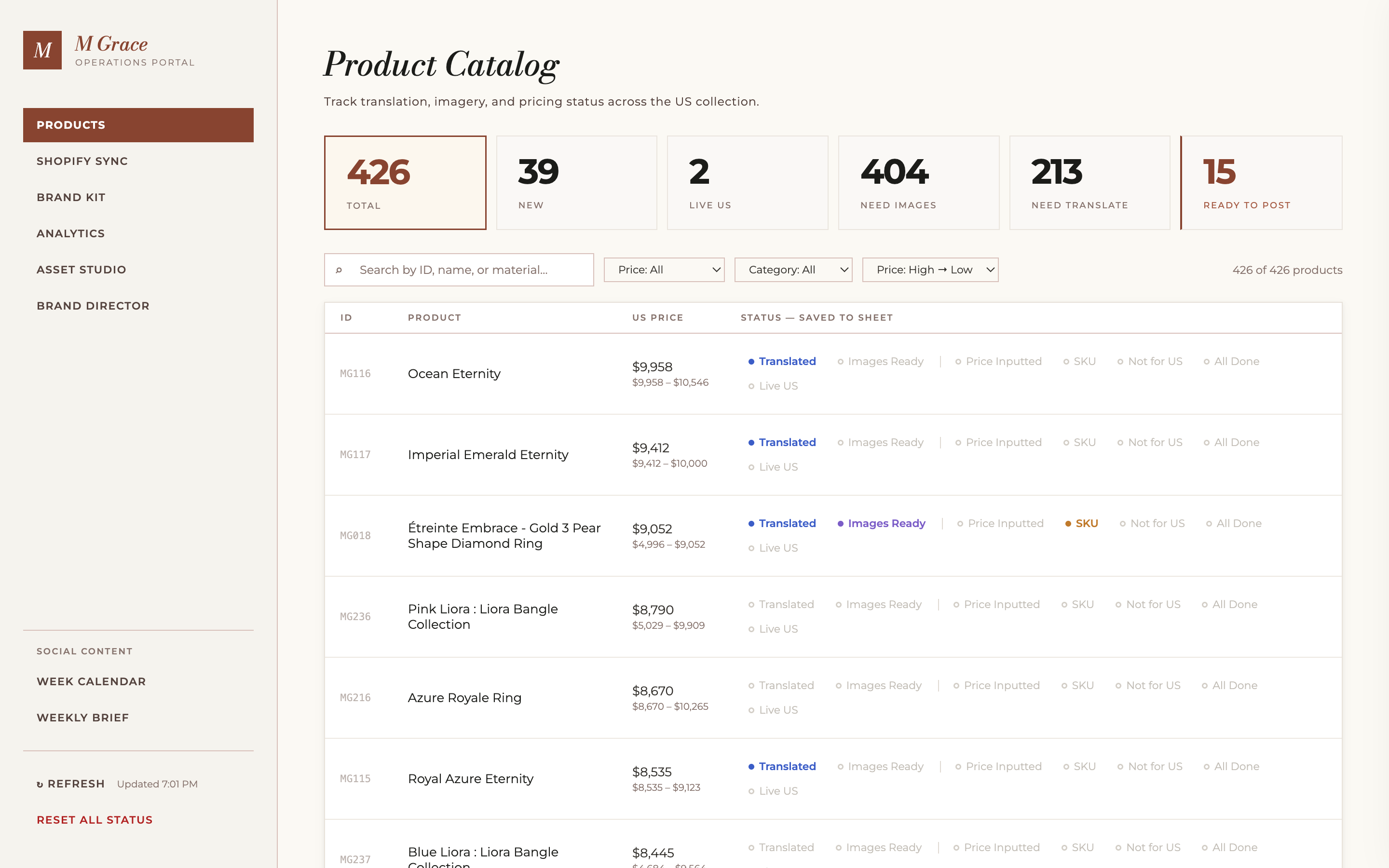
The business runs across two markets, Japan and the US, but the product pipeline between them was entirely manual. Japanese product descriptions needed translating, images needed renaming for SEO, pricing needed localizing per variant, and tracking which products were live required constant coordination. None of this was organized, it required a lot of back and forth to keep things in sync.
Discovery
- 01
I sat down with the owner to map the workflow end to end before building anything. The scope was immediately clear: a large product catalog, each product with multiple SKUs, all described in Japanese, none of it translated, none of it organized for a US market. There was no system tracking what had been done, what was pending, or what was live. Everything was ready to go, but the manual process was daunting.
- 02
The existing tools weren't the problem. The owner was already using Google Sheets with ateliers and suppliers, that workflow worked for them. The gap was everything that happened after: taking product data from that sheet and turning it into something ready for a US Shopify store. Translation, image naming, SEO, pricing, status tracking.
- 03
I wanted to build an all-in-one platform that would eliviate the coordination overhead and automate the repetitive work. The goal was to make it so that the owner could manage products in one place, and the system would handle the rest.
Key Decisions
- ·
The owner and ateliers manage products through Google Sheets, which is already shared across suppliers. Rather than replacing that workflow with a new interface, I built the dashboard to sync from it. The owner updates product info in Sheets and the changes propagate to the dashboard automatically.
- ·
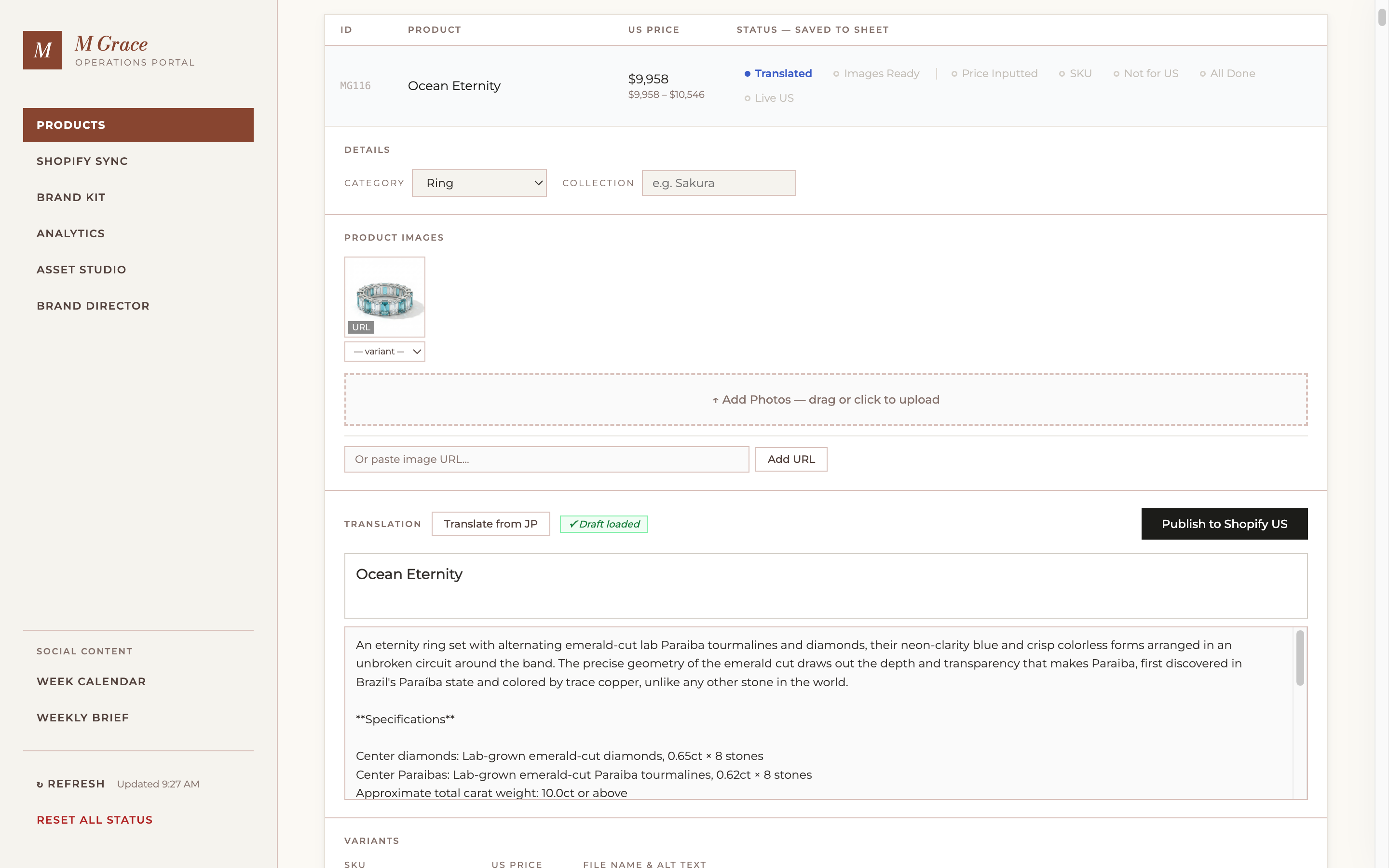
The dashboard goes beyond what lives in Google Sheets. When a product is ready, clicking one button triggers Claude to translate the Japanese description into English using a structured template, and generates SEO-optimized filenames and alt text for each SKU variant.
- ·
I used Nano Banana Pro for product image generation with brand kit constraints. Locking style parameters to the brand kit meant consistent visual output across sessions, which reduced the need for manual review and rework on every new product.
- ·
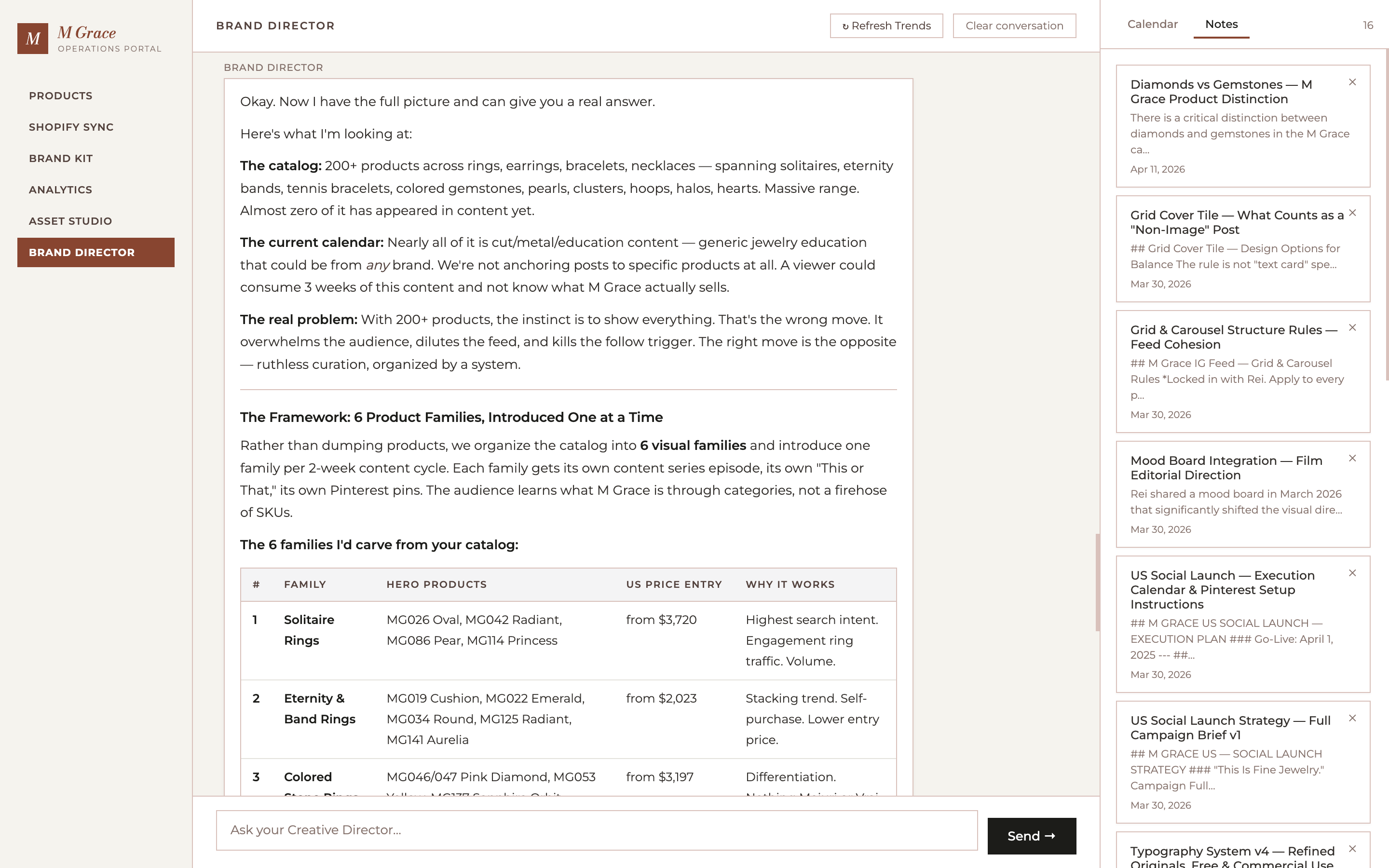
The business owner kept switching between tools to check performance. I noticed the pattern and added an analytics layer that pulls from Shopify, Instagram, TikTok, and Pinterest into the dashboard. It became a useful tool that positioned the platform as an operation hub rather than just a translation and image management tool.
Outcome
The platform handles product translation, image management, and status tracking for both markets from a single dashboard. Products move through a clear pipeline from handoff to live on the US store. The analytics layer surfaces Shopify revenue, social performance across three platforms, and top-performing products in one place. Coordination overhead dropped by an estimated 65%.
Integrations
6
Coordination overhead
↓ ~65%
Asset gen time
Hours → Minutes
What I'd Do Differently
- ·
I was both the designer and the only engineer, which made it easy to skip proper discovery. I built the brand kit system based on what I thought was needed, not on a structured conversation with the stakeholder about what actually caused inconsistency in his eyes.
- ·
The hardest part wasn't the automation. It was making the status pipeline legible to everyone using it. The owner and ateliers needed to understand at a glance where each product was without logging into the dashboard at all, which is why the status columns write back to the Google Sheet they already live in. That was the right decision, but it took a lot of iteration to get the column names and status definitions right.